
The best IPTV app makes the difference between a frustrating and a seamless live TV experience. You can have the best IPTV provider in Australia, but if your IPTV app is poorly designed, has a broken EPG, or stutters during playback, the whole experience falls apart. This guide covers the top IPTV apps available in 2026 — for Firestick, Android, iPhone, iPad, Samsung Smart TV, LG Smart TV, and Windows — with honest comparisons of features, pricing, and which app works best for Australian viewers who care most about live sport.
The IPTV app ecosystem has matured significantly over the past few years. Where once you had to settle for buggy, difficult-to-configure players, today’s leading IPTV apps deliver interfaces that rival the polished experience of Foxtel or Netflix. Apps like TiviMate have become the gold standard for Android and Firestick users, while IPTV Smarters Pro dominates the multi-platform category. Understanding the differences between these apps — their features, limitations, and pricing — will help you choose the right one for your setup and viewing habits.
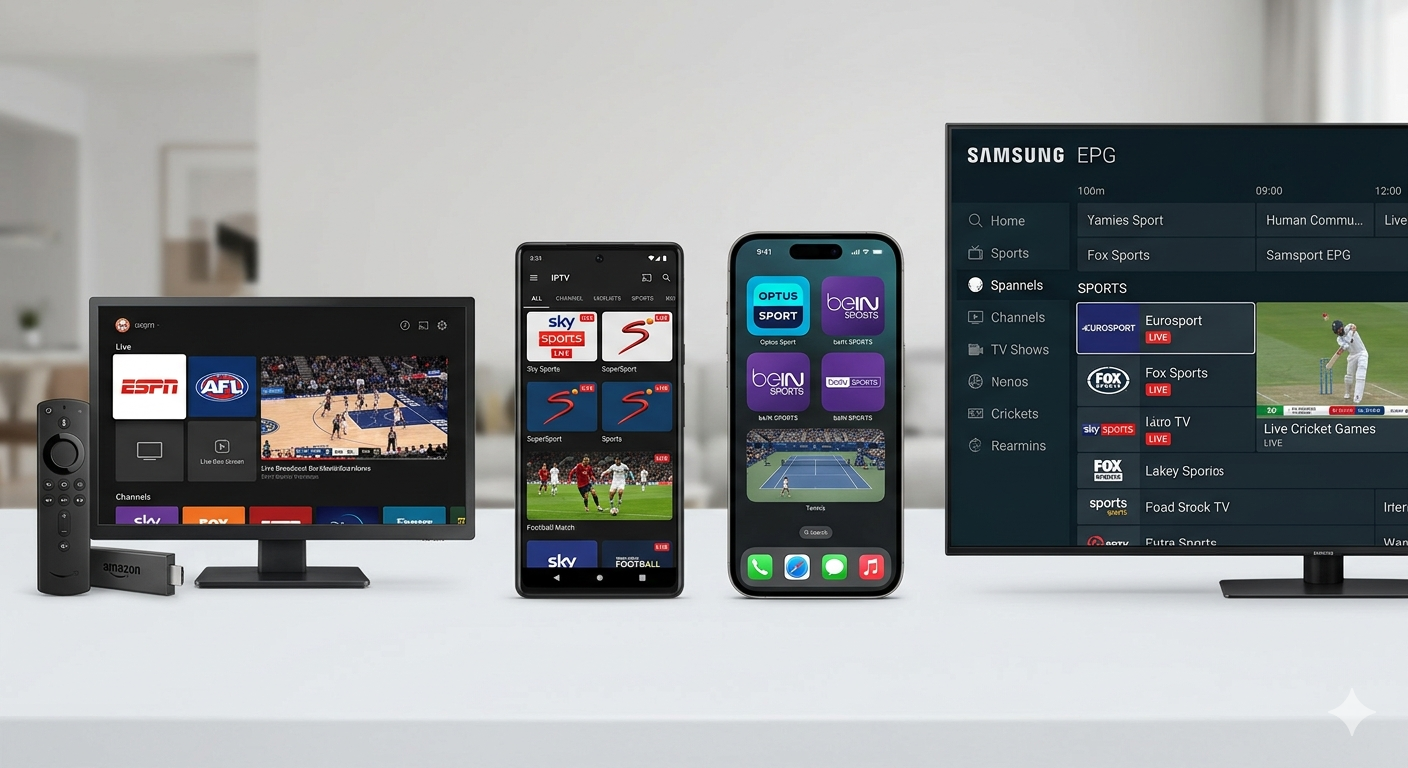
Top IPTV Apps Compared: 2026 Overview
Here’s a quick-reference comparison of the leading IPTV apps available in 2026:
| App | Platform | Price | EPG Quality | Catch-Up | Best For |
|---|---|---|---|---|---|
| TiviMate | Android, Firestick | Free / $5.99/yr Premium | Excellent | Yes (Premium) | Best overall — Firestick & Android TV |
| IPTV Smarters Pro | All platforms | Free | Good | Yes | Beginners, multi-platform |
| GSE Smart IPTV | iOS, Android, Apple TV | $9.99 one-time | Good | Yes | iPhone, iPad, Apple TV users |
| Perfect Player | Android, Firestick | Free | Good | No | Lightweight, older devices |
| Kodi + PVR IPTV | All platforms | Free | Good (with add-ons) | Yes (add-ons) | Power users, custom setups |
| Smart IPTV | Samsung, LG Smart TV | €5.49 one-time | Moderate | No | Smart TV native app |
| Flex IPTV | Apple TV, iPhone | $4.99/month | Good | Yes | Apple TV 4K users |
TiviMate: The Gold Standard IPTV App for Firestick
TiviMate is widely regarded as the best IPTV app for Amazon Firestick and Android TV devices. Its interface is clean, fast, and closely resembles a traditional TV set-top box guide — the same channel grid layout you’d recognise from a Foxtel IQ or Fetch TV box. The free version of TiviMate covers basic live TV streaming. TiviMate Premium ($5.99/year — one of the best-value purchases in IPTV) adds catch-up TV, multiple playlist support, an archive/recording feature, EPG offset correction, parental controls, and panel customisation.
For Australian users, TiviMate’s channel favourites system is invaluable. You can create custom groups like “AFL & NRL”, “Movies Tonight”, and “Kids” that contain only the channels you actually watch, so you never have to scroll through 50,000 channels to find Fox Footy. The EPG is fast, accurate, and updates automatically from your provider’s XML guide. Playback quality is excellent — TiviMate supports multiple external players (MX Player, VLC) for hardware-accelerated decoding on older devices.
IPTV Smarters Pro: Best Free Multi-Platform IPTV App
IPTV Smarters Pro is the most versatile free IPTV app available in 2026. Unlike TiviMate, which is Android/Firestick-only, IPTV Smarters Pro runs on virtually every platform: Android, iOS, Windows, macOS, Amazon Fire TV, and Android TV boxes. It supports both M3U playlist and Xtream Codes login methods, making it compatible with nearly every IPTV provider in Australia.
The interface is functional but less polished than TiviMate. It’s particularly popular as a first app for new IPTV users because it’s free, straightforward to set up, and is officially available on the Amazon Appstore for Firestick (no sideloading required). Its VOD section is well-organised, and the EPG displays correctly for Australian time zones when the provider’s XML guide data is timezone-aware.
GSE Smart IPTV: Best IPTV App for iPhone and iPad
iOS users have fewer IPTV app options than Android users due to Apple’s App Store restrictions, but GSE Smart IPTV is the clear leader for iPhone and iPad. At $9.99 (one-time purchase), it offers a comprehensive feature set: M3U and Xtream Codes support, a built-in media player with multiple audio track selection, catch-up TV support, an EPG grid view, and the ability to stream to Apple TV via AirPlay.
GSE Smart IPTV handles large channel lists (50,000+ channels) without crashing, which is a known issue with some iOS IPTV apps. The EPG loads quickly and the layout is clean. For Australian users who primarily watch on iPhone or iPad, GSE Smart IPTV is the go-to recommendation. Pair it with an Apple TV 4K for a premium living room IPTV experience.
How to Set Up Any IPTV App: Step-by-Step
Regardless of which IPTV app you choose, the setup process follows the same basic steps:
- Install the app: Download from the relevant app store (Amazon Appstore for Firestick, Google Play for Android, App Store for iPhone/iPad).
- Get your IPTV credentials: After subscribing to an IPTV provider, you’ll receive either an M3U URL or Xtream Codes credentials (server URL, username, password) via email.
- Add your playlist: In TiviMate, tap “Add Playlist” → “Xtream Codes API” → enter your credentials. In IPTV Smarters, tap “Add User” → “Load your playlist or file/URL” → enter M3U URL or Xtream details.
- Wait for channels to load: The app downloads your full channel list and EPG data. For a 50,000+ channel list, this takes 1–3 minutes.
- Organise your favourites: Create favourite groups for the channels you watch regularly. This makes daily use much faster.
IPTV Apps for Smart TVs: Samsung, LG, and Others
Watching IPTV directly on a smart TV without an external device is possible, but options are more limited. Here’s what’s available for major smart TV platforms:
- Samsung Tizen TV: Smart IPTV (from Samsung App Store, €5.49 one-time) and SS IPTV (free) are the main options. Both support M3U playlists. The interface is basic compared to TiviMate but adequate for casual viewing.
- LG webOS TV: Smart IPTV is available on the LG App Store. Interface quality is similar to the Samsung version.
- Android TV (Sony, Hisense, TCL): Full TiviMate and IPTV Smarters support directly from Google Play. Android TV delivers the best native smart TV IPTV experience.
- Non-smart TV: Plug in an Amazon Firestick ($59–$89 at JB Hi-Fi) or Android TV box ($49–$199) via HDMI. This adds full IPTV capability to any TV with an HDMI port.
Related Articles
- IPTV Australia 2026 — Complete Setup Guide
- Best IPTV Provider Australia — What to Look For
- IPTV Channels Guide — Full Channel List
- 4K IPTV Guide — Ultra HD Streaming in Australia
- Best IPTV Service Australia — Full Review